
A wedding planning made easy
All you need to plan your wedding.
for only a one-off £45
Your guests, your budget, your seating plan and every date that matters, in one planner made for the two of you. It stays on your own phone or computer.
Everything in one place
A look inside
This is Emma and James’s wedding, our sample couple. Open it yourself, change anything you like, and picture your own day in it.

Seating Optional extra
Your interactive seating plan. Move tables, change their shape and seats, and give every guest a place. Then print it in high resolution, even large on canvas.
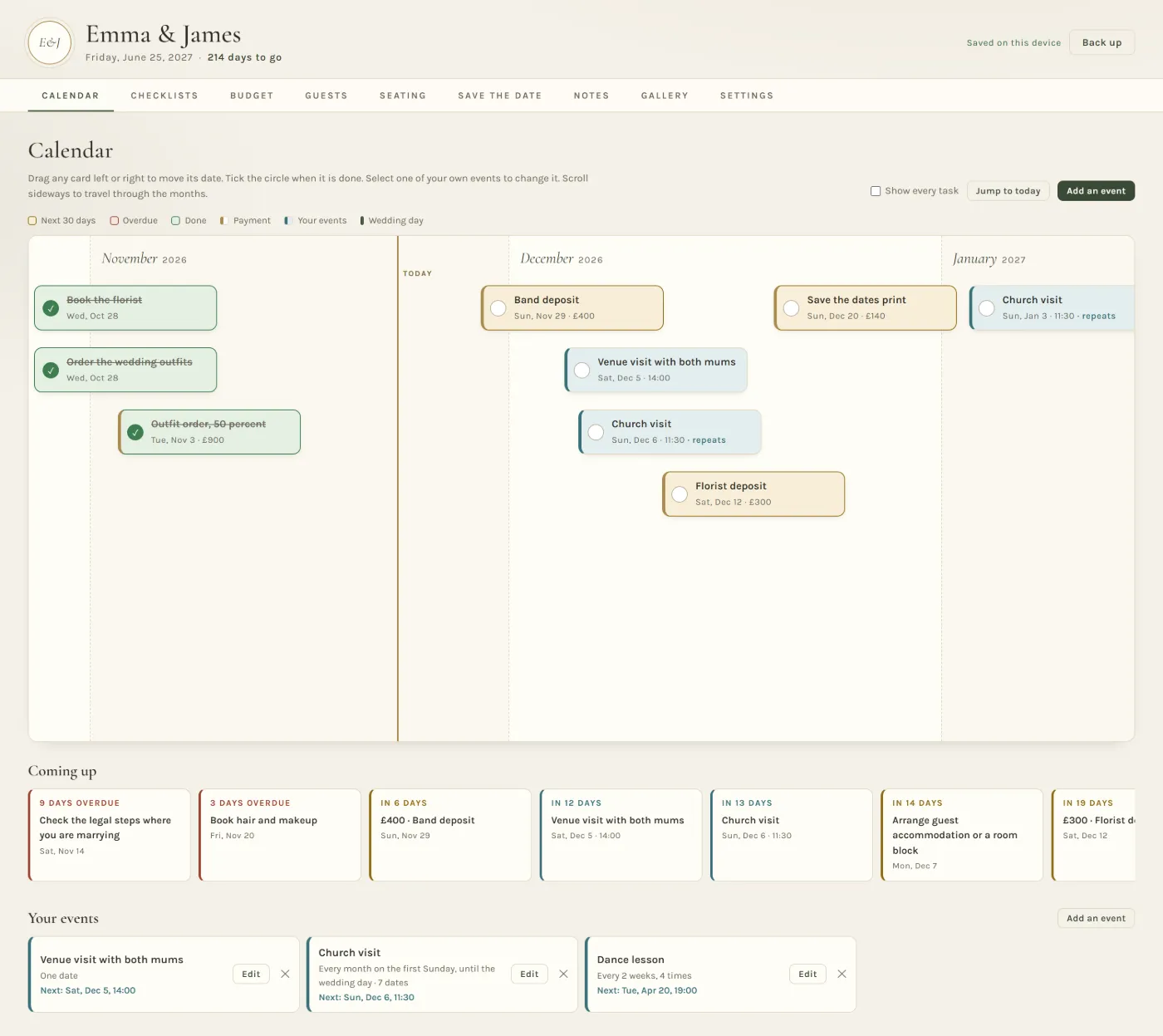
Calendar
It comes with a full plan already in place, so you can see what needs doing and when without having to work it out. Add or remove anything.
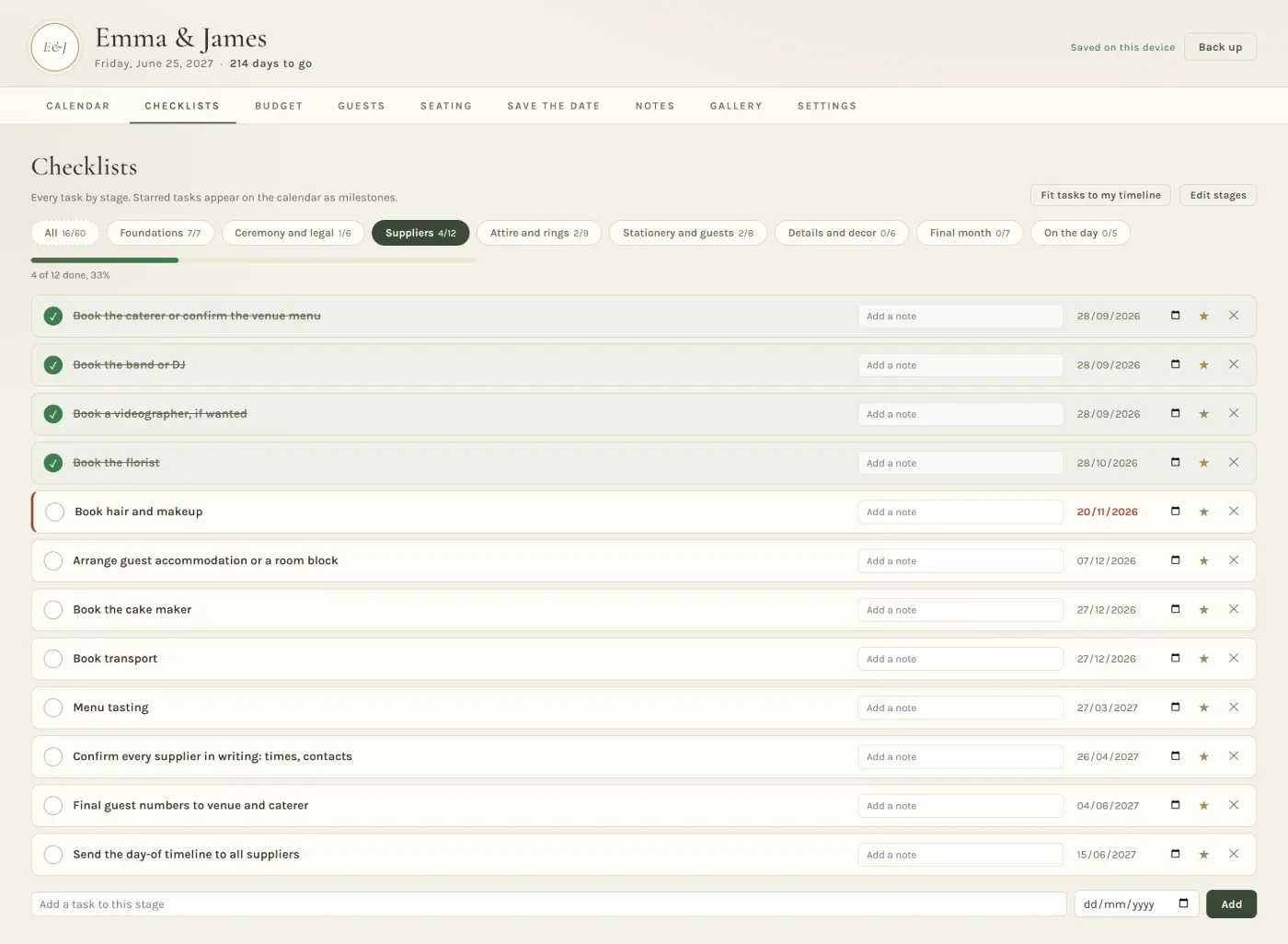
Checklists
Every task is already written, stage by stage, from booking the venue to the morning of the wedding, so nothing is forgotten. Tick things off, add your own, or take out what you do not need.
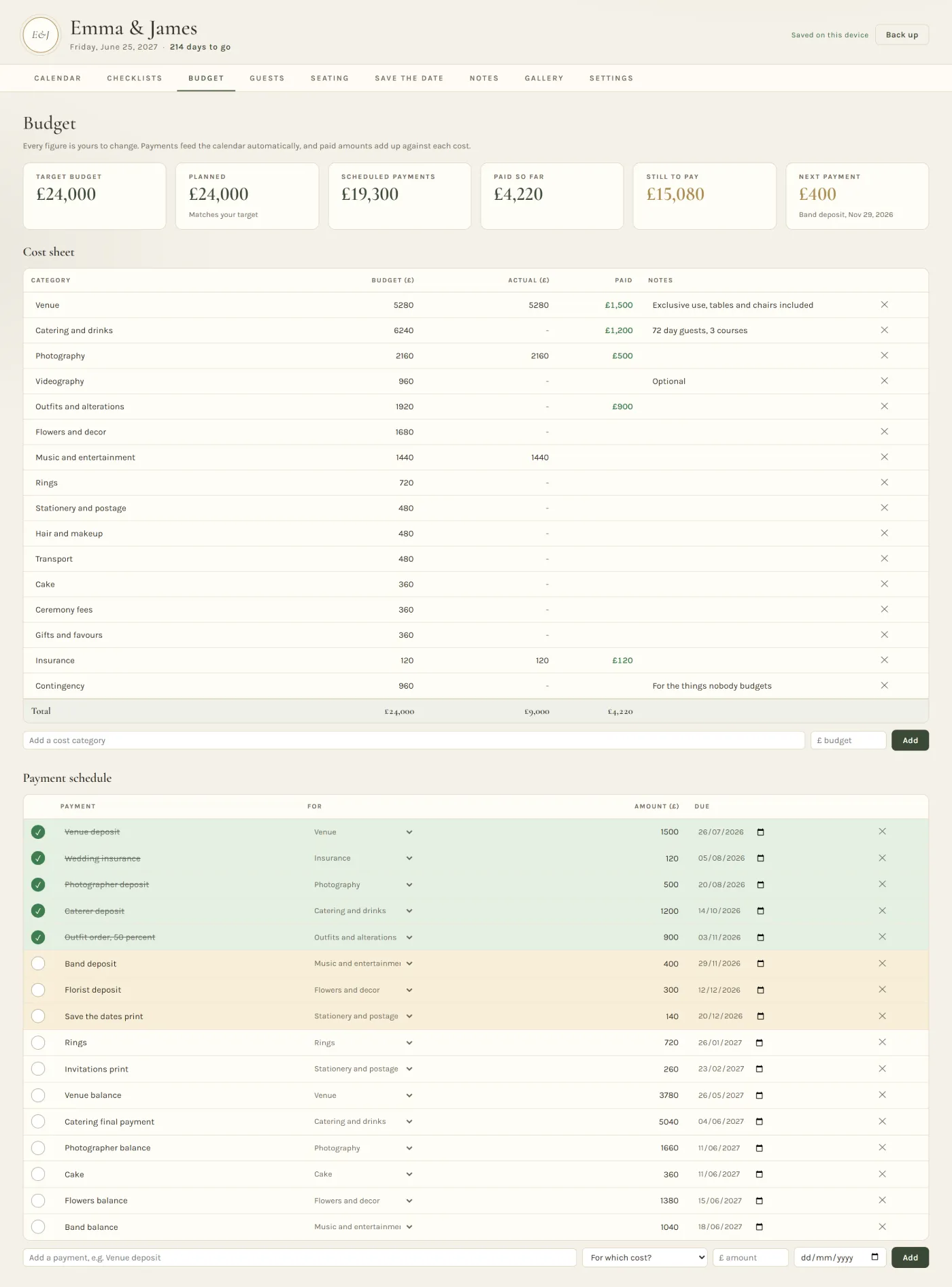
Budget
Your budget tracker: what you planned to spend, what you have paid and what is still to come, so there are no surprises.
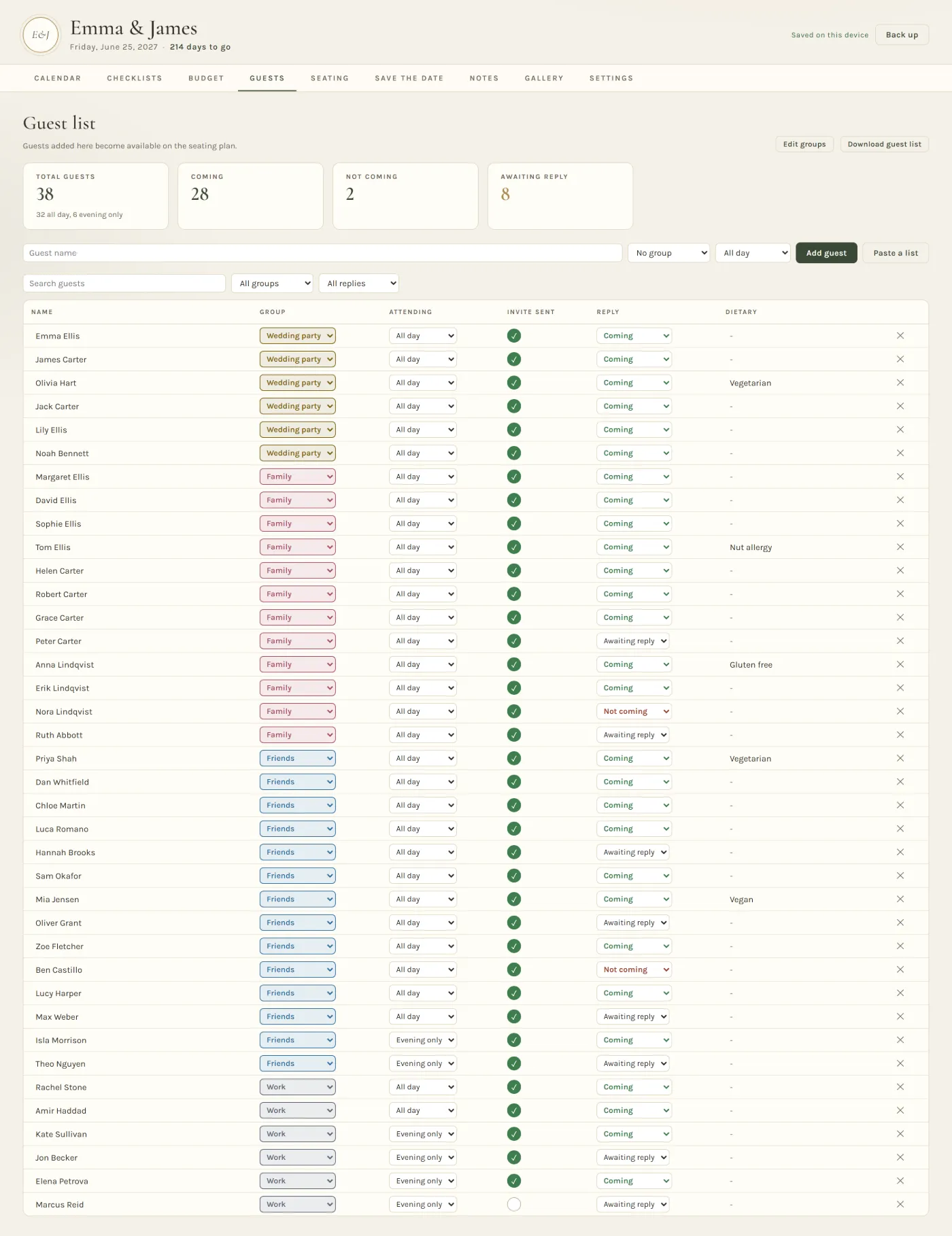
Guests
Your guest list, with every reply and dietary need: who is coming, who has not answered yet, and who needs the vegetarian option.
Save the date Optional extra
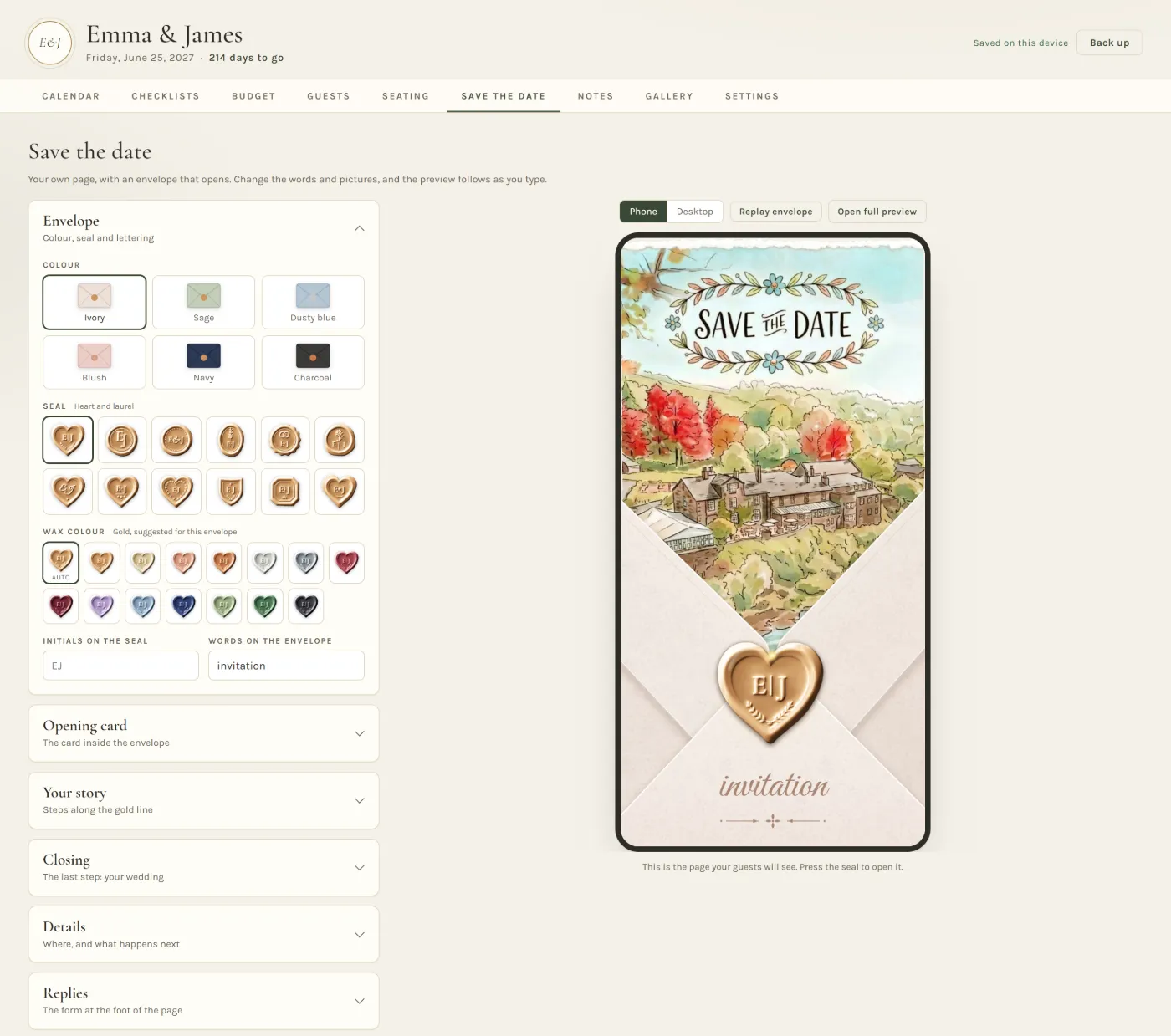
Your personalised save the date. Choose the envelope and seal, add your photos and your story, and see it change as you type.
Notes
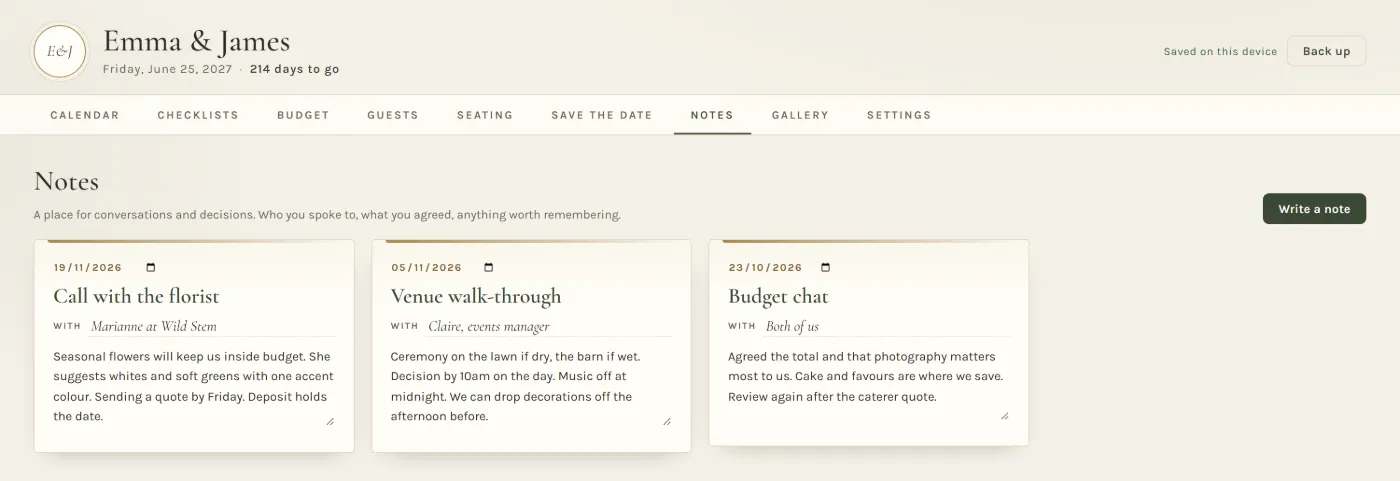
Every call and visit, written down with its date. “Had a call with the florist: seasonal flowers will keep us inside budget.”
Gallery
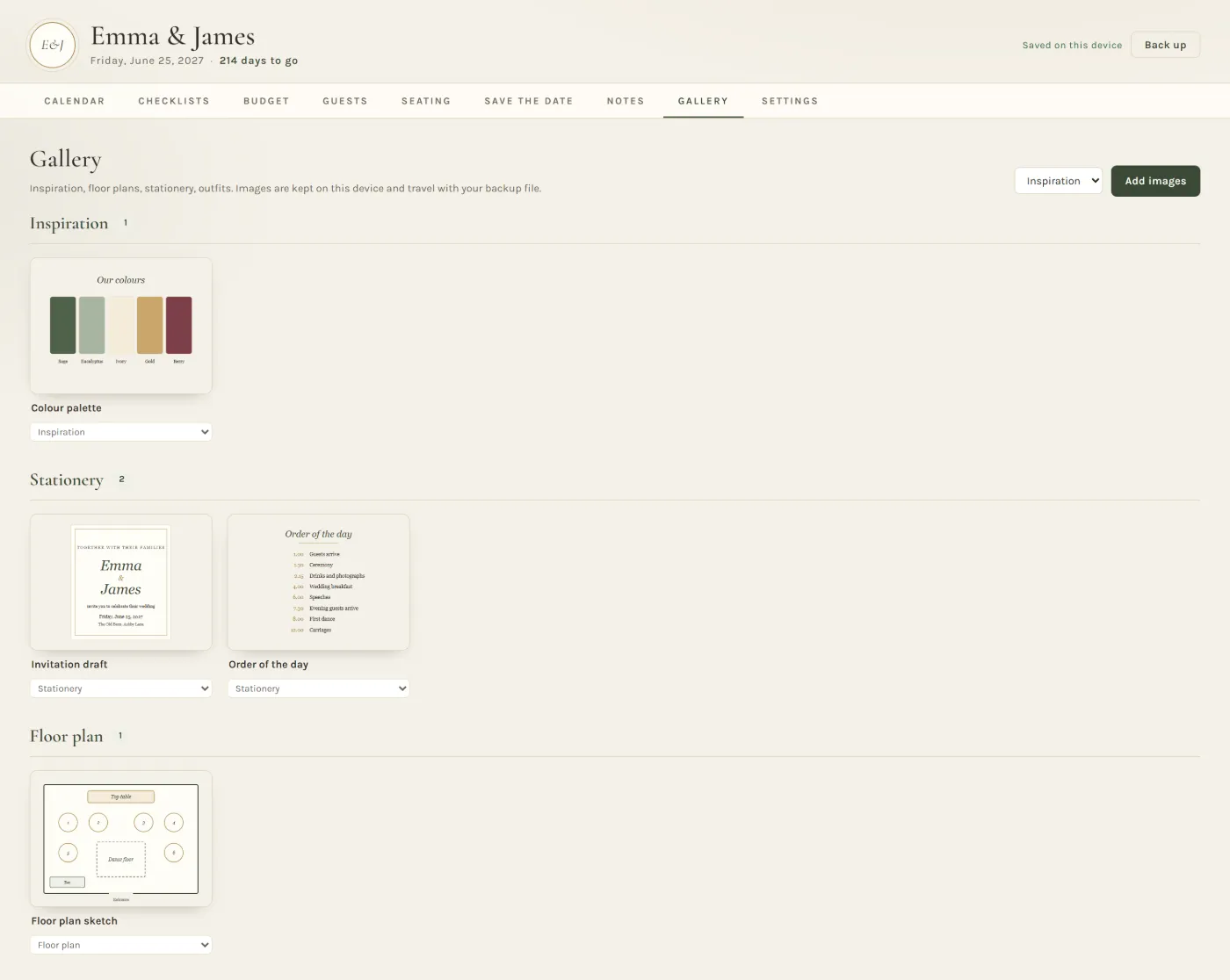
Any other pictures you want to keep with your plan: dresses, flowers, the venue’s floor plan.
Then make it yours
Optional extra
Your personalised save the date
Share it with your guests as a link. They RSVP on it, and every reply lands in your planner.

Press the seal
Tell your guests how you got here
Tell your guests a little about your journey, and share it with the people you love who are coming: how you met, where you are getting married, and anything else you want them to know.
Designing it is free, so you can make it exactly yours first. You pay once when you publish it, and the price is shown in the planner. Publishing is not open yet.
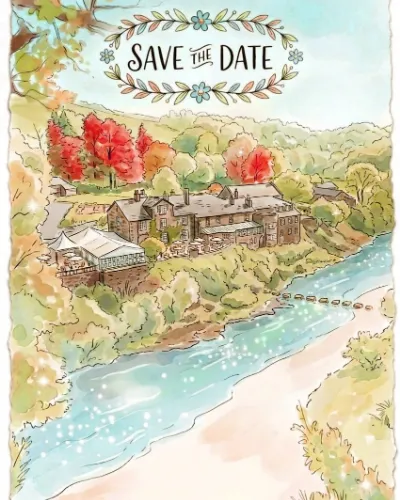

Make every picture and every word your own.
Still being built on
The Little Wedding Book keeps growing. New designs for save the dates and invitations are added through the year: envelopes, seals, headings and seating chart themes. There is no fixed schedule. They arrive when they are ready.
Open the sample wedding before you decide
It is free and there is nothing to sign up for. Try the planner, the seating plan and the save the date, and imagine your own names on it.